
Never Worry About Sky Replacements Again
Sky Replacement Bootcamp
Master sky replacements in Photoshop. Learn through detailed projects and get access to all assets and years of knowledge gathered through trial and error.
$97
Create Like Us
Before | After
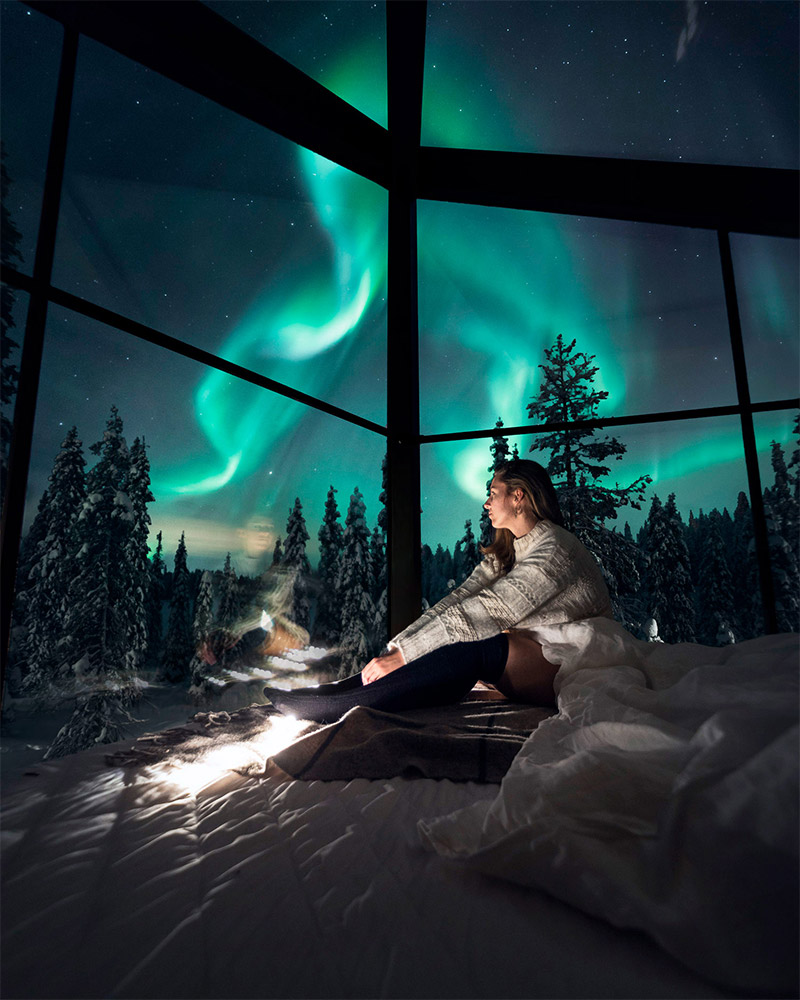
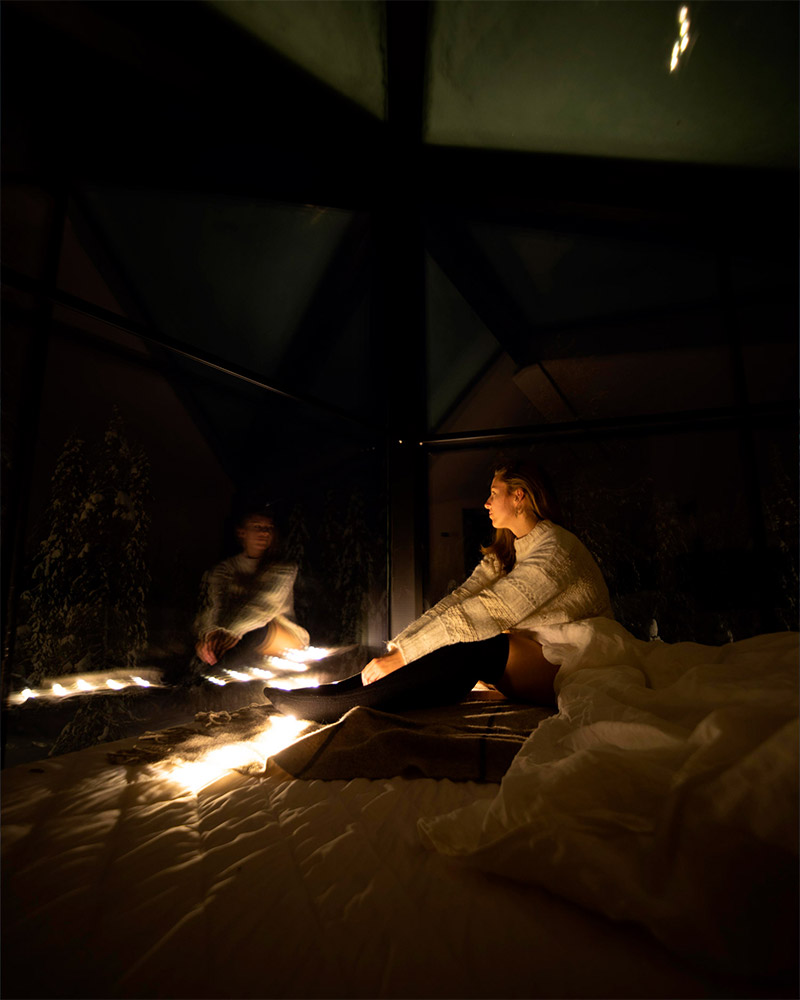


Drag the handle to compare.
Sky Replacements Made Easy
Advanced Skillsets
You might be asking “Why would I need a whole course on the topic since I can just use the sky replacement tool?”
Although the tool can work well for some replacements, it comes with a lot of flaws. That’s why It’s important to learn how manual sky replacements work when AI fails. (Trust me, it happens all the time)
Manual replacements also give you total freedom over the composition and blending of your sky.
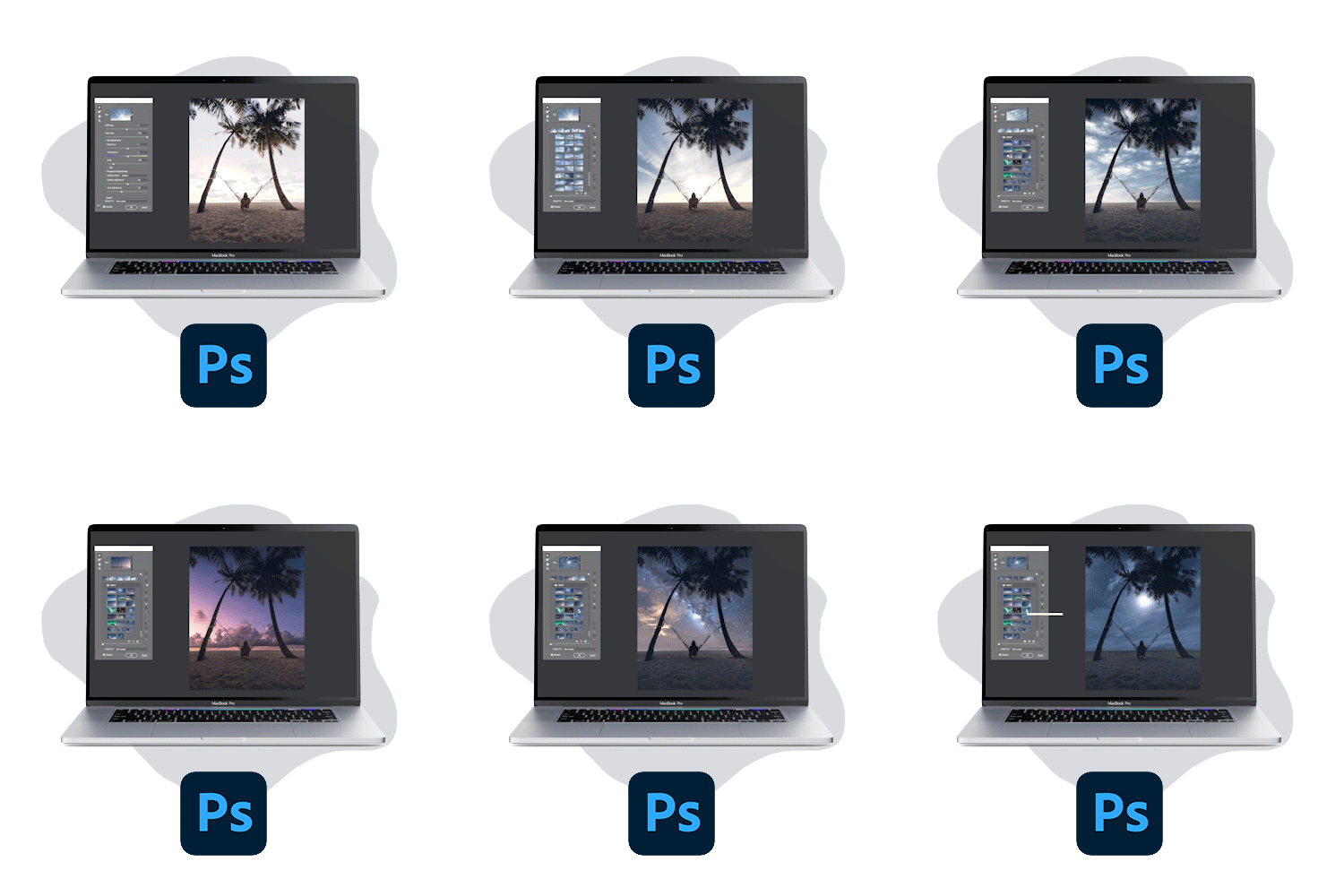
What you will learn in this course
Day to Sunset
Lighting during daytime and sunset are completely different. Learn how to transform your day images into realistic sunsets

Replace Boring Night Skies
Ever took images at night and wished for a more interesting sky? Learn how to transform your night images upside down.

Day to Night
Nothing is impossible in Photoshop. learn how to turn a daytime image into an artistic night scenery through unique techniques.

Change Bad Weather
Bad weather can ruin a lot of our images and we have no control over it while shooting. Thankfully Photoshop allows us to change that.

Get to know your teacher
Julius Kähkönen, Photographer/Digital artist
I am a full time online instructor, photographer and a digital artist. I’ve dedicated thousands of hours into learning Photoshop and it has allowed me to fulfill my dreams of making a living by traveling and teaching.
It is one of my biggest passions to teach others and I am very lucky to be able to share my knowledge to over 45k creatives around the world.
I’ve also shared my whole journey on Instagram from the beginning to the present. This has allowed me to grow a large audience around my art.
I specialize in composites and realism and have found simple and fast workflows to fulfill my visions.

Replace Skies Like A Pro
Who is this for?
Every photographer will experience horrible weather on photo trips at some point. Images turn out boring and you have a lot of client work to return…
Sky sets everything for your image from colors to lighting. Changing a sky can be a complicated thing to master but we make it easy to understand.
This course is for you if you have faced problems with sky replacements, blending or lighting.
This is not your typical short YouTube tutorial where most of the details are missing. This is an ultimate guide for you to start achieving realistic editing results in Photoshop
Sky Replacement Bootcamp
Curriculum
Module 1: Get Comfortable With Photoshop
6 Lessons, 0:49:40
Module 2: Getting Familiar With Cutting Out Skies
13 Lessons, 1:58:08
Module 3: Mastering Blending
9 Lessons, 1:07:59
Module 4: Example Projects
6 Lessons, 2:50:57
Why our customers love Sky Replacement Bootcamp

“I learned a lot of techniques that ease up the workflow and save a lot of time. I had a lot of fun going through your course and learn photoshop secrets from you.”
@emgrphy 
“Sky replacement bootcamp was incredible, loved it! Even though I was already familiar with Photoshop, I learned a lot about blending, color grading and lighting.”
Hugo Korhonen 
“Just finished the course. I learned so much. I have been applying all you taught me to my images. Definitely a lot of information but you can always come back to the videos.”
Danny Argenal 
“Thanks to you, I was able to change this photo without any prior experience to photoshop and changing skies”
@jane.coh “Just finished your course, and I have to say I loved it! You explain everything from the basics to some pretty advanced techniques. It's easy to follow and I loved the way you explained things. I learned new techniques that I'll use in my future work. Some people say that they can get this knowledge from YouTube but this is not true. This course is super straight forward and you'll learn everything you need to know in due time. This is what I call a time saver!”
Bruno Urli “Just finished the sky replacement course and wanted to let you know how much I loved it! The way it's structured in modules is perfect for both absolute beginners and people who are more experienced with photoshop. Nothing more irritating than bad weather spoiling photos when traveling. This course provides the knowledge to completely transform average photos into some of my favourite work I've produced!”
LUCA PETERSON “You explained everything so detailed. Even a beginner with no sky replacing experience can easily follow everyhting. I believe this course will improve my workflow and now I will look again at my old photos to improve them with a different sky. I really recommend everyone to get this course! You learn techniques you can use in every situation and it will help you a lot! Now you don't have to worry about the weather and you can still make perfect photos! Just again, thank you for making this course!”
LUCAS DUIJN “I just went through the entire course in a breath and, let me honestly say, it is incredible. I always struggled with all the different selection and blending techniques, and this course explains them all perfectly. Starting from the basics of Photoshop until mastering one of the most advanced techniques for blending. That's why you make a difference; you never give anything for granted! I would 100% recommend this course to everyone who is not always satisfied with their pictures because of bad weather conditions and want to achieve a different look.”
GIACOMO PODETTI “Hey Julius. I just finished last section on Sky Replacement bootcamp and it was AMAZING. I learned there so many new techniques how to cut out skies (easy selections all the way to really complicated selections). I've always struggled how to make sky replacements as real as possible, how to make edges perfect, how to match colors and light but on that course I got answers to so many issues and much-much more. Everything was explained in a clear and detailed way. Also can not say how much motivation that course gave me to edit (I've basically edited every day til I started that course).”
REIMOVISUALS “You explained everything so detailed. Even a beginner with no sky replacing experience can easily follow everyhting. I believe this course will improve my workflow and now I will look again at my old photos to improve them with a different sky. I really recommend everyone to get this course! You learn techniques you can use in every situation and it will help you a lot! Now you don't have to worry about the weather and you can still make perfect photos! Just again, thank you for making this course!”
MIKE GUERTS “I feel like, starting up Photoshop for the first time feels like a rather complex task, but the method that you use to teach it, step by step makes it real gentle. Unlike other courses you dont just throw out information, you explain it in a way that it sticks around in your head and helps you implement it in different situations, while editing. I recommend this course for every photographer out there, because we've all been in that situation, where the sky just ruined the photo. The fact is that this course helps you over come that hurdle. I strongly recommend this course to all the photographers and beginners of photoshop. Super impressed with it, and i personally recommended it to a ton of friends”
VEDANT KOTHARI
Your Questions Answered
What you need to know
Ready to invest in yourself?
Become A Photoshop Expert With This Course
Master Sky Replacements In 6 Hours
- 6+ hours of detailed training
- Major future updates included
- Lifetime access
- All assets included
Today's price = $97